About
Arctika is an brainstorming platform that allows designers to expand their scope of thinking through artificial intelligence, supplying critical contexts designers either missed or haven't considered.
Contributions
Product Design, UIUX Design, Vibe Coding/ Engineering
Tools
Figma, ChatGPT, VS-Code, Adobe Suite, Pro-Create
Duration
5 Weeks, 2024

Context
This project started from a simple frustration, "Having to revise designs/ decisions after significant progression, due to the lack of individual knowledge and capabilities".
In 5 weeks, I turned a pain-point into a personal project through vibe coding, tested with a total of 10 students, and validated the effectiveness of the concept.
Often we learn better solutions, methods, and strategies after investing significant amount of resources. As a victim of countless trials and errors, my goal was to design a solution that prevents and reduces learning curves/errors before users heavily commits to their decisions.
Problem
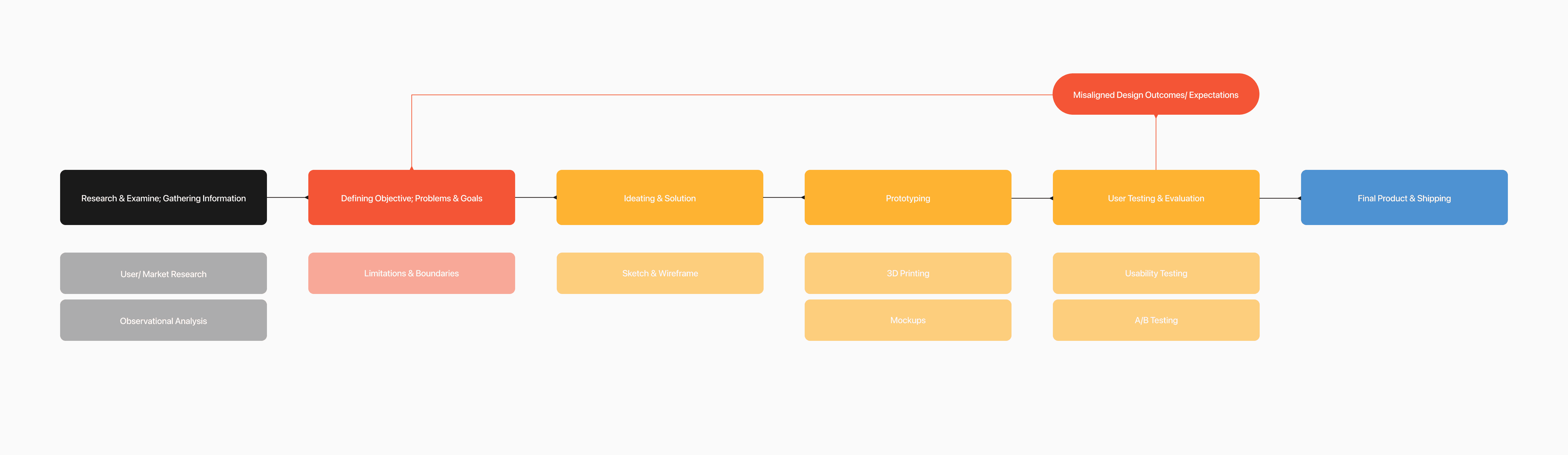
Informational blindspots are mainly why revisions happen, and blindspots occur all through out the design process at different levels. But the most detrimental blindspots were the ones that occurred at early stages of the projects.
insight 01
Blindspots are unaccounted variables in the decision making process.
Blindspots are crucial variables designers fail to consider in their decisions. These unaccounted variables create flawed decisions, which results in misaligned designs.
insight 02
Blindspots create flawed decisions, flawed decisions result in rework and wasted resources.
Flawed decisions leads to bad designs, and bad designs require revisions. The more concrete the decision is, the more resources are spent on fixing it.

How might we
"How might I minimize informational blindspots for designers before their decisions become concrete?"
Designers currently utilize resources such as following a certain design discipline, heuristic probe cards, workflow charts, forums, checklists to avoid blindspots.


Hypothesis
"A conversational assistant to surfaces critical blindspots in early stages of the project before progression."
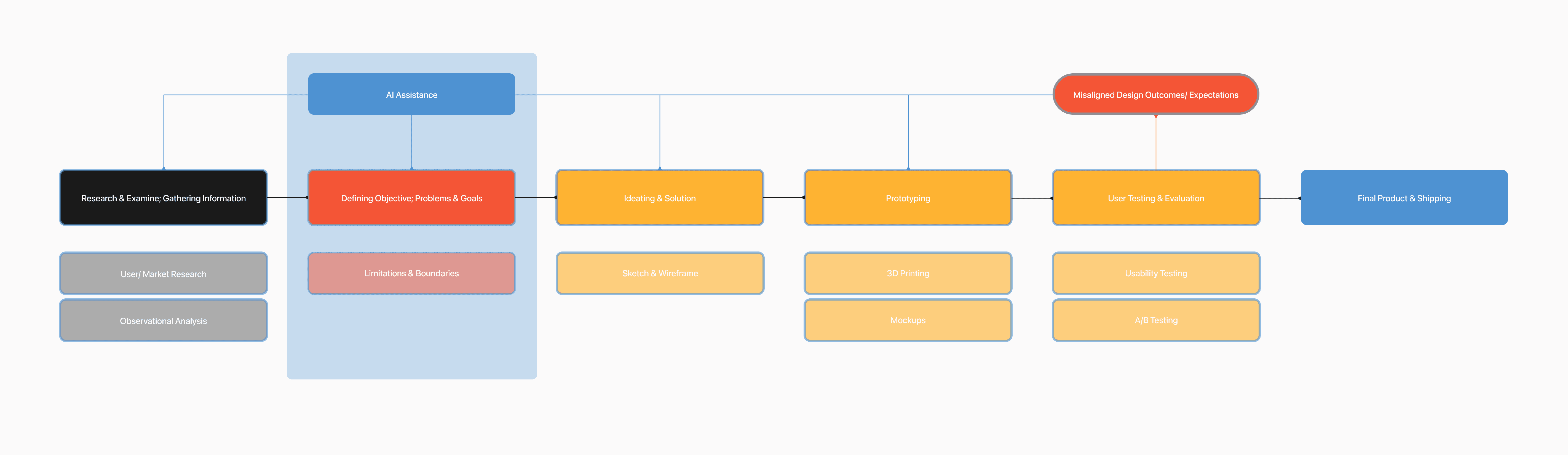
With the era of AI, informational blindspots are no longer a limiting factor for individuals. However, generic chat UXUI limits the effectiveness of what designers can do with access to vital informations.
Instead of relying on a individual designer's limited human knowledge or memory, through the form of a conversation, the AI assistant actively challenges the project's assumptions and present crucial, unaccounted variables (blindspots) from a vast global knowledge base.
What are the advantages in using an AI native solution?
advantage 01
Manual google search vs contextually-aware AI assistance.
AI agent's ability to understand context allows it to provide far more detailed/ tailored information than any SEOs.
advantage 02
Human memory vs countless context windows.
Compared to human-memory, AI's infinite context windows allow it to keep track of all existing variables in the project.
advantage 03
Great ideas & designs come from great conversations.
Conversational dynamic shortens laborious information research into immediate insights.
advantage 04
Confined language vs multilingual accessibility.
Multilingual ability allows sources to be pulled from a broader global corpus, compared than being locked to a single language.
Prototyping and testing
I vibe-coded 3 versions and tested 2 prototypes with 5 RISD industrial design students working on their final projects to validate the effectiveness AI usage.
This project started back in early 2024, prior to the vibe-coding era. I manually went back and forth between ChatGPT's chat interface and VS-Code, relying on GPT-4 to code and understand engineering concepts.
I built a initial working prototype—a Streamlit baseline paired with custom-tuned GPT-4 responses. I conducted user testing with professors, developers, and students actively working on their final projects
I utilized OpenAI's Assistant API to prompt engineer custom AI-responses to compensate for the GPT-4's generic responses, and built a quick interface through Streamlit, a open-source python framework.


Arctika's response
GPT-4's response
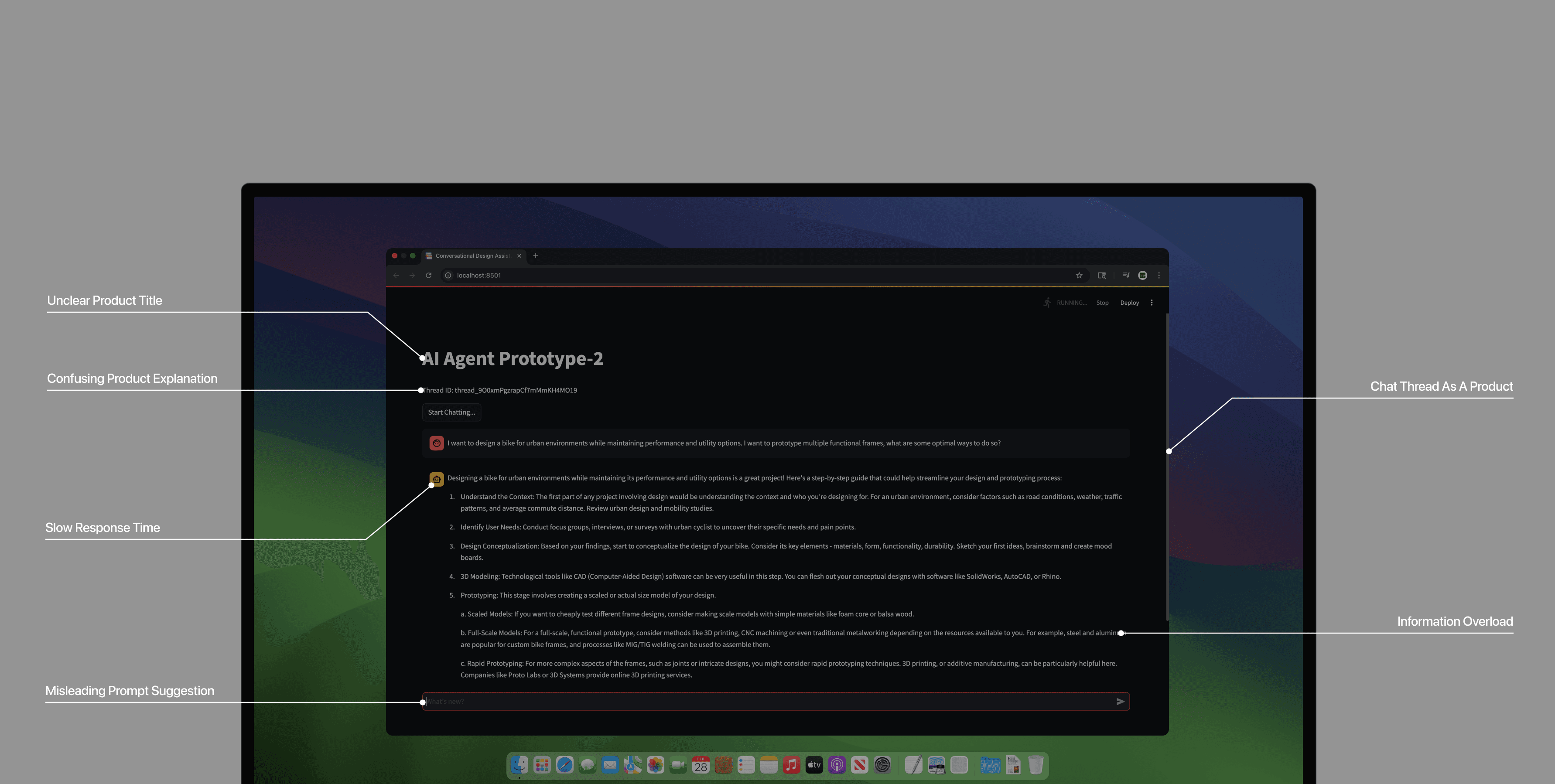
While the first version successfully demonstrated the AI's potential to reduce blindspots, it also surfaced specific pain-points that I was able to start working on.
pain-point 01
Difficulty translating text insights into applicable action items.
I aimed to test if the platform could reduce the user's cognitive load in the design process and decrease the volume of critical blindspots in the project.
pain-point 02
Prompting fatigue; exhaustion from context feeding.
I focused on observing the user experience of using a simple chat interface for this complex process, specifically noting frustration, confusion, and the amount of effort required to finalize an objective.
pain-point 03
Prompting paralysis, users had difficulty addressing their own needs.
Conversational dynamic shortens laborious information research into immediate insights.
pain-point 04
AI's passive and reactionary responses/ behavior.
Multilingual ability allows sources to be pulled from a broader global corpus, compared than being locked to a single language.
Validating of AI usage in design process
To resolve the pain-points from Streamlit's baseline interface, I built a second version, utilizing Django to build a custom FE/BE framework and re-prompt engineered the AI model.
I built a initial working prototype—a Streamlit baseline paired with custom-tuned GPT-4 responses. I conducted user testing with professors, developers, and students actively working on their final projects
feature 01
Users are able to choose from three different AI models.
This UX reshapes how users prompt. Compared to a single model to converse with, Arctika's different models encourages the user to analyze the intent/category of their needs into a specific design category prior to prompting, allowing a clarification of their needs which leads to easier prompting.
feature 03
The AI model now challenge user biases, utilizes iterative questioning and to acquire additional information when the users's question is low quality/ vague.
The assistant cross-examines your brief with context specific questions. The conversations become a record of constraints, assumptions, risks, decisions, owners, and implications.
feature 03
The AI model now challenge user biases, utilizes iterative questioning and to acquire additional information when the users's question is low quality/ vague.
The assistant cross-examines your brief with context specific questions. The conversations become a record of constraints, assumptions, risks, decisions, owners, and implications.
feature 03
Users are able to export the texts and conversation threads.
Design gets harder as unaccounted variables pile up. The assistant surfaces unaccounted factors early before decisions calcify.
Final design
Introducing Arctika, a concept platform with brainstorming features to help designers expand their scope of thinking through artificial intelligence.
Arctika engages with the user in a structured, conversational brief that proactively identifies and defines missed blindspots before a decision is finalized and resources are committed, Resulting in a robust, defined project objective ready for execution.
design solution 01
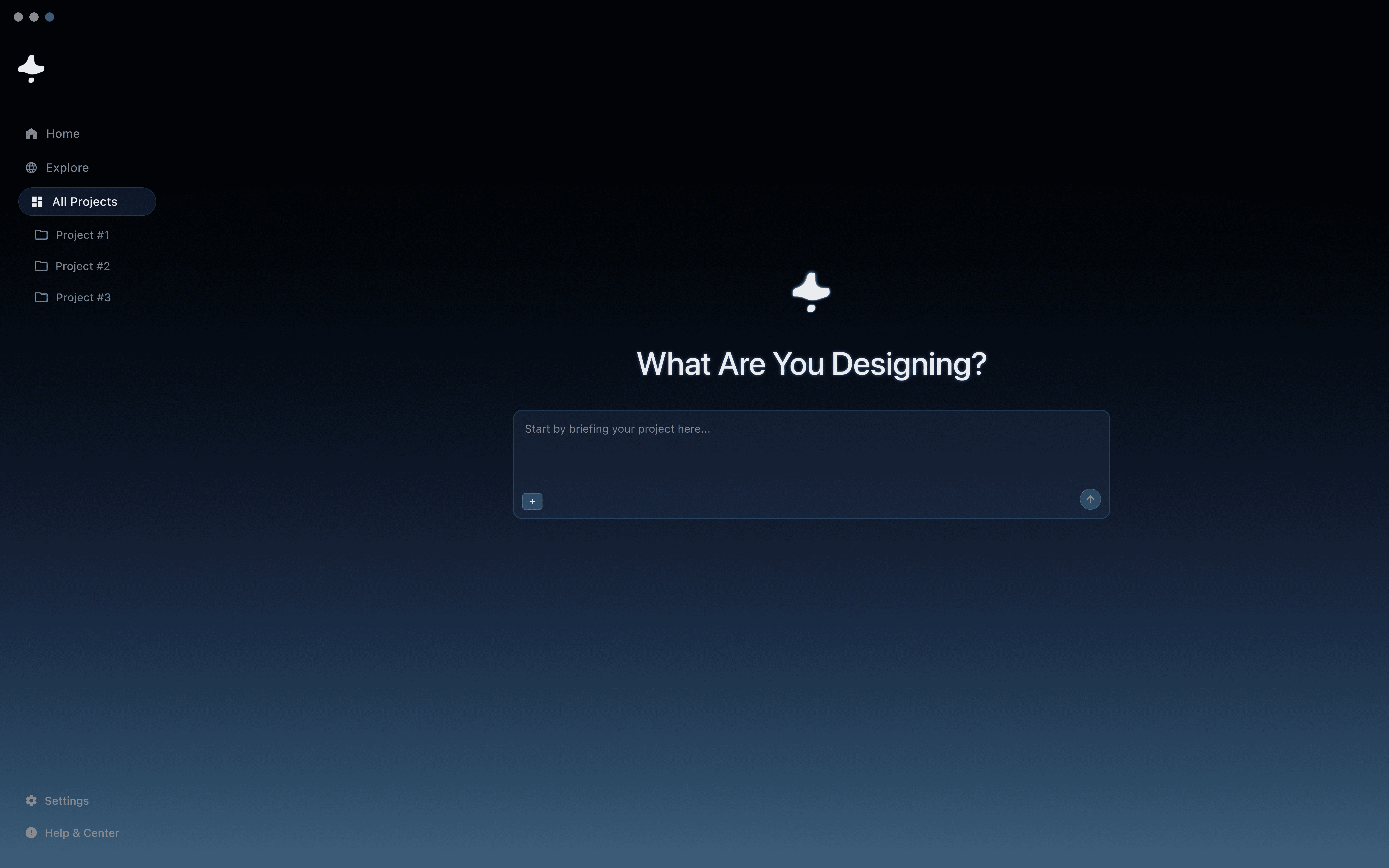
Home and on-boarding, briefing your project to get started.
To get started, Arctika guides the user to define their initial project idea, which will be used to generate a project equation, surfacing unaddressed variables from the user's initial brief.
design solution 02
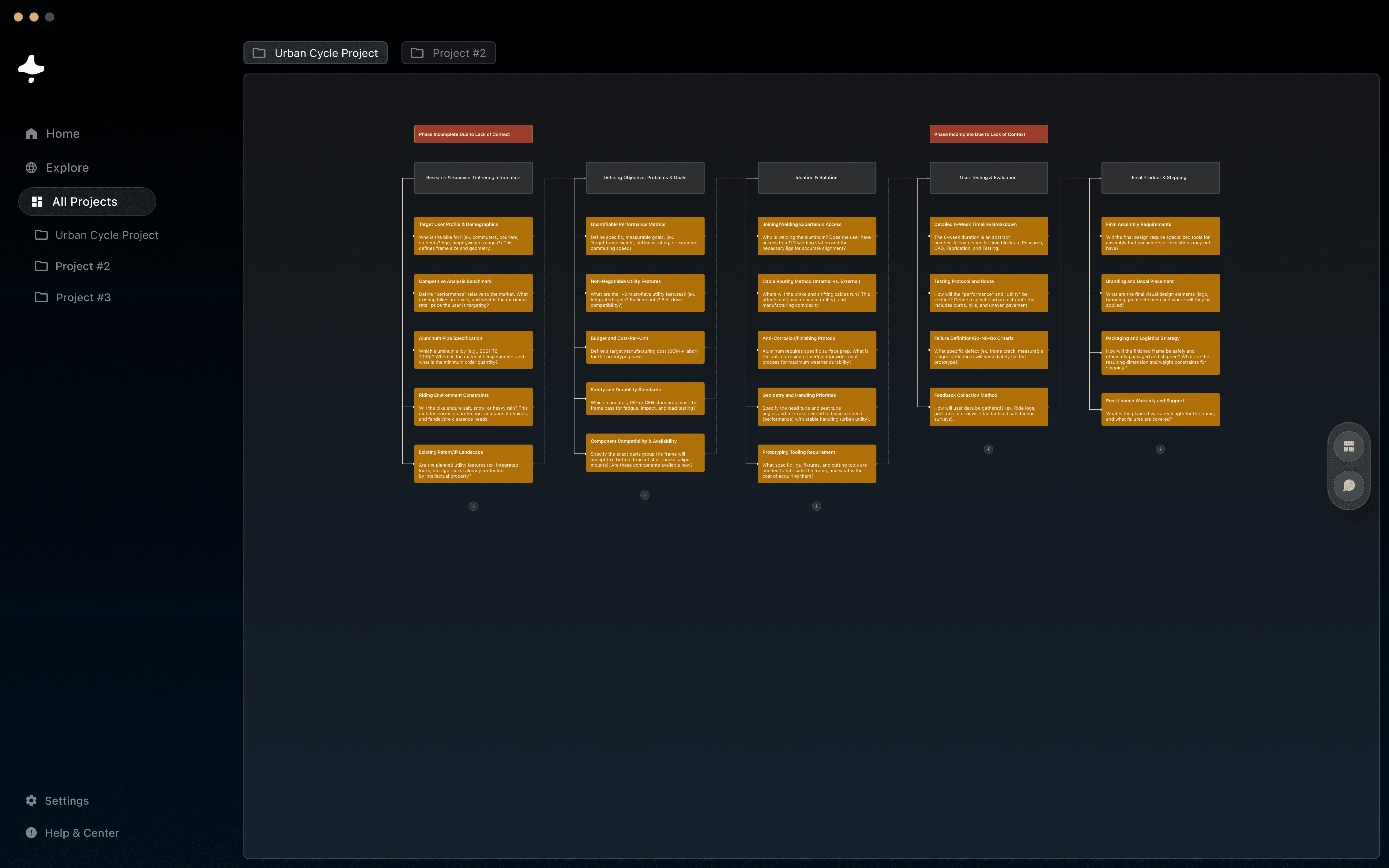
Modifiable project equation surfaced blindspot from the initial brief.
This is the central visual hub of the platform, acting as the project's persistent memory by displaying the entire project flow and all defined variables on a clear, linear process.
design solution 03
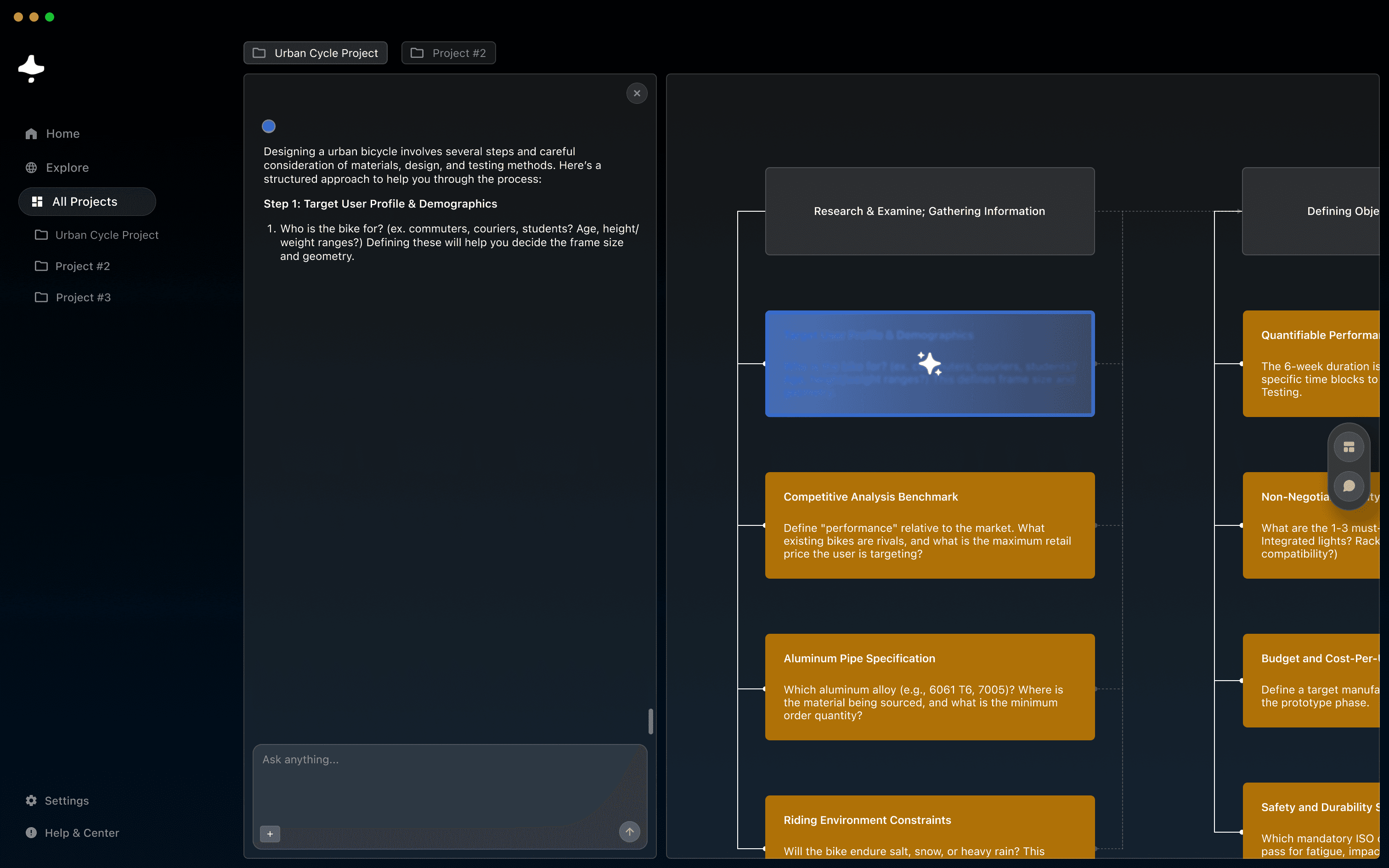
AI surfaced blindspots, defining unaccounted variables together.
The AI proactively analyzes the user's brief and generates undefined variables, which are presented as actionable tasks on the project equation map for the user to select and define.
design solution 04
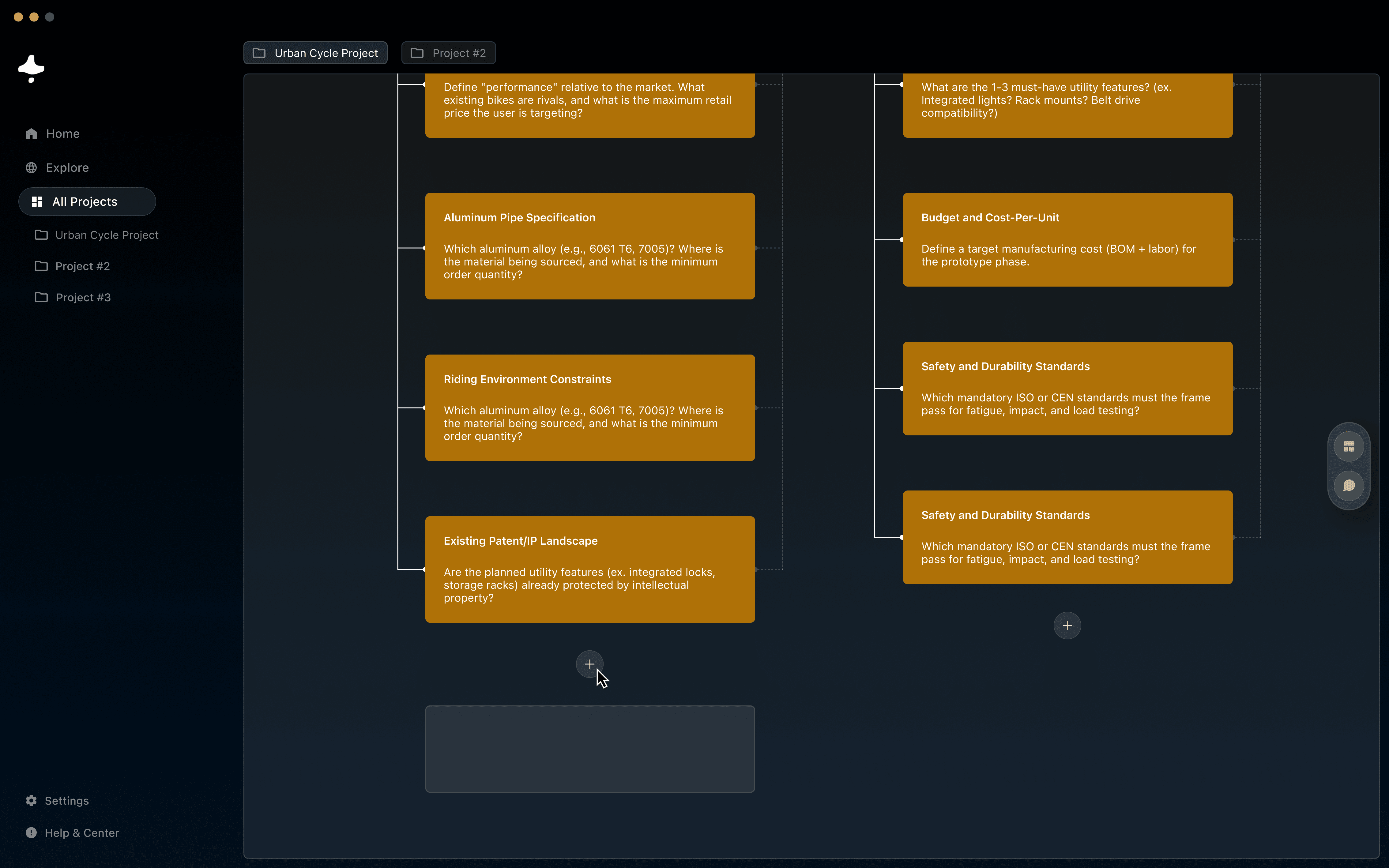
Custom variables, adding custom variables.
This allows users to manually add and define variables or constraints that the AI may have missed, ensuring the user retains full control and ownership over the project equation and its complexity.
Next steps
Retrospect and takeaways.
Moving forward, the project aims to further refine and expand its features to enhance accessibility and adaptability across various design environments. Integrating more advanced AI-driven tools and expanding with a broader audience.
The project underscored the importance of continuous feedback loops, embracing iterative design, and staying agile in adapting to user needs. Ultimately, Arctika serves as a testament to the power of combining AI with human creativity, pushing the boundaries of what’s possible in design.